FATALSOUNDGet FatalSound
●   ANDROID + WINDOWS

YOUR MUSIC.
YOUR WORLD.
YOUR FatalSound.

Discover music. Build your collection. Take your sound everywhere.

Your favourite tracks, together on Android and Windows.

Download for Windows ↓ FatalSound   /   WINDOWS
Favourites

YOUR LIBRARY

On rotationFS / SELECTS 01
FS / REFS / SELECTS 02
FS / LLFS / SELECTS 03

FS / io
02   Casablanca   ·   Equalz

◀   Ⅱ   ▶ 01:24
DESKTOPVISUALISATIE · DEMO
FatalSound · Full player
Desktop illustration · Demo
↓ Explore

Discover

More than just a music player.

On rotationFS / SELECTS 01
FS / REFS / SELECTS 02
FS / LLFS / SELECTS 03
Stream online, play your files and collect the artists you love.

Features

In the mix.

Discover music

Discover music

Explore genres and personal recommendations.

Your playlists

Your playlists

Create a playlist with your favourite recordings.

Liked tracks

Liked tracks

Tap the heart to save a track.

Offline listening

Offline listening

Download playlists on Android for the road.

Smart Shuffle

Laat passende ontdekkingen tussen je eigen tracks spelen.

Mix new discoveries into your own playlist.

Your music library

Your music library

FATALSOUND / 013

Why FatalSound?

Explore genres and personal recommendations.Create a playlist with your favourite recordings.Download playlists on Android for the road.Bring online tracks and local files together.
Bring online tracks and local files together.

FatalSound for Android.

FatalSound for Android.

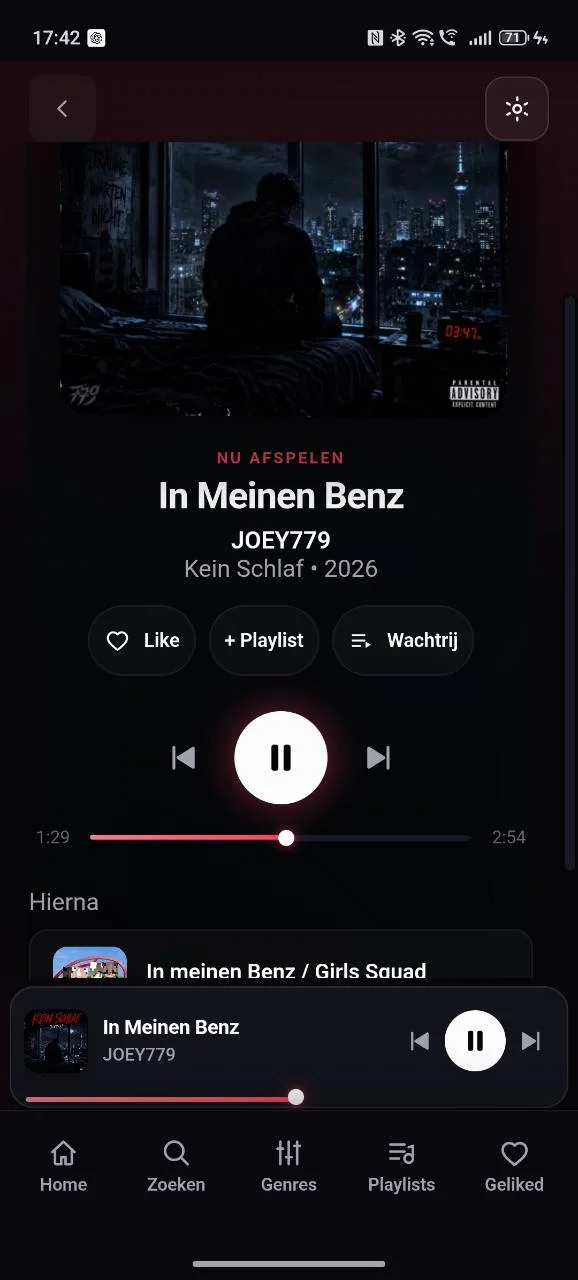
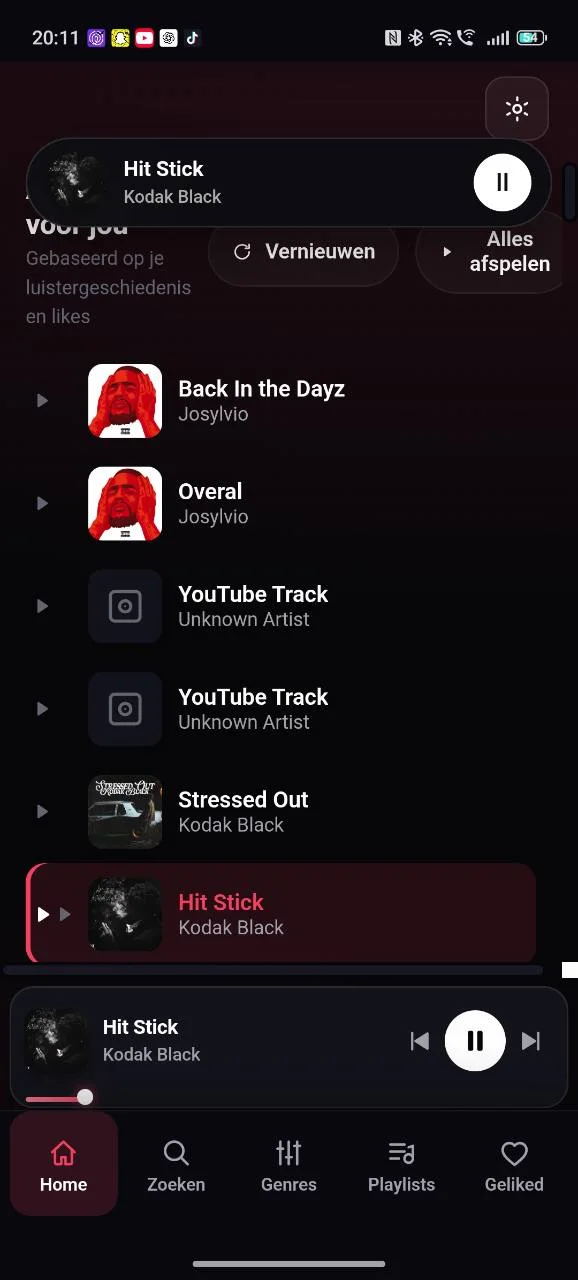
FatalSound · HomeFatalSound · PlaylistsFatalSound · Full player
Home

Take your collection anywhere. Explore, save and play tracks on your phone.

Zoeken

Personal picks

Title, artist or playlist

Genres

Library

From hardcore to Dutch rap

Playlists

Your collection

Saved with a heart

Search online and locally, explore artists, edit playlists and view the queue. Control background playback from notifications or the lock screen.

Offline listening

Your music. Even offline.

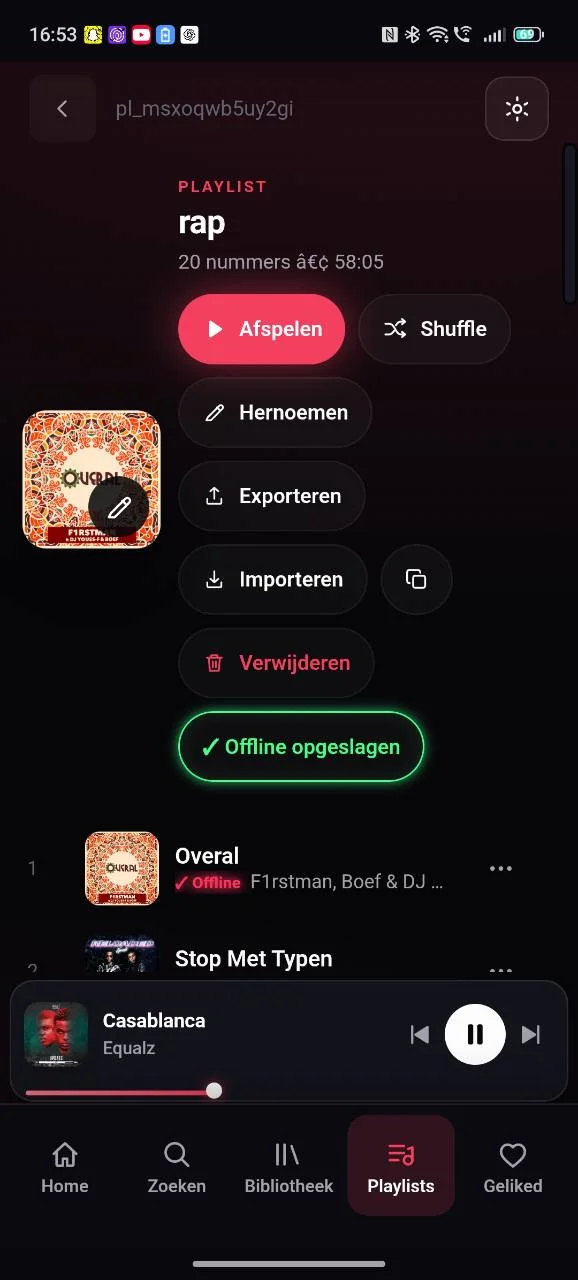
Download a playlist before you lose your connection.

Download → Save → Listen

A red offline mark identifies saved tracks. The playlist turns green once every file is on your device.
FatalSound · Playlists
✓ Available offline

FatalSound for Windows.

FatalSound for Windows.

Download for Windows ↓ FatalSound   /   WINDOWS
Favourites

YOUR LIBRARY

On rotationFS / SELECTS 01
FS / REFS / SELECTS 02
FS / LLFS / SELECTS 03

FS / io
02   Casablanca   ·   Equalz

◀   Ⅱ   ▶ 01:24
DESKTOPVISUALISATIE · DEMO
In the mix.

Organise your library, discover music online and fine-tune playback at your desk.

Local music

Explore genres and personal recommendations.

Add folders and scan your music files.

YOUR LIBRARY

Create a playlist with your favourite recordings.

Browse tracks, albums, artists and genres.

Manage playlists

Tap the heart to save a track.

Build and organise personal playlists.

Online music

Download playlists on Android for the road.

Search online and play what you find.

Audio controls

Mix new discoveries into your own playlist.

Adjust volume, EQ, crossfade, repeat and shuffle.

Keyboard shortcuts

Control the player from your keyboard.

Sleep timer

Sleep timer

Set when playback should stop.

Recently played

Listening history

Find recent additions and frequently played tracks.

SHUFFLE IS JUST THE BEGINNING.

Shuffle is just the beginning.

Shuffle reorders your tracks. Smart Shuffle adds matching picks between them. Try it with Dutch rap. Eigen nummerPlaylist track Aanbevolen trackRecommended track Eigen nummer04 Aanbevolen track

Stel de verhouding zelf in. Na de laatste eigen track kan Smart Shuffle doorgaan met aanbevolen muziek.

Choose the ratio. After the last playlist track, recommendations can continue.

Discover music

Find something new.

On rotationFS / SELECTS 01
FS / REFS / SELECTS 02
FS / LLFS / SELECTS 03

Open a genre, play a selection and save discoveries to a playlist.

New artists · Recommendations · Personal playlists

Import

Shuffle reorders your tracks. Smart Shuffle adds matching picks between them. Try it with Dutch rap. Your collection, closer together.Playlist track Choose a serviceRecommended track Connect04 Match tracks

Import

App experience

App experience

FatalSound · Home

Android

Two platforms. One music experience.

Download for Windows ↓ FatalSound   /   WINDOWS
Favourites

YOUR LIBRARY

On rotationFS / SELECTS 01
FS / REFS / SELECTS 02
FS / LLFS / SELECTS 03

FS / io
02   Casablanca   ·   Equalz

◀   Ⅱ   ▶ 01:24
DESKTOPVISUALISATIE · DEMO

Windows

Offline playlists and lock-screen controls wherever you go.

Download for Windows ↓ FatalSound   /   WINDOWS
Favourites

YOUR LIBRARY

On rotationFS / SELECTS 01
FS / REFS / SELECTS 02
FS / LLFS / SELECTS 03

FS / io
02   Casablanca   ·   Equalz

◀   Ⅱ   ▶ 01:24
FatalSound · Full player

EUR 4.99 once - Android and Windows - up to 2 devices

Payments are temporarily unavailable while our payment provider reviews this domain.

Windows installer · EXE

Download for Windows ↓

Connected to your music world.

Purchase FatalSound to unlock downloads.

FatalSoundFAQ

Android

FAQ

38.3 MBDownload for AndroidSHA-256 · b258b88e7615a3c66ce6d9f8f072e92924badbb255f75ef43c0960b9b4192a7b
FatalSoundA music app for local files, online discoveries and playlists.

Windows

Which devices are supported?

157.2 MBDownload for WindowsSHA-256 · e5fffc432419c3a2244388450bd442ed72aaae40ba08bffafeff4cb69a92e374
How do I install it on Android?

Download and open the APK, then follow the installation steps.

How do I install it on Windows?

Download the installer, open the EXE and follow the prompts.

Can I listen offline?

Yes. Download a playlist on Android while connected.

Can I add my own folders?

Yes. Select your music folders on Windows and scan them.

What is Smart Shuffle?

It alternates playlist tracks with suitable recommendations.

How do the platforms differ?

Android is built for listening on the go. Windows gives you more room for your library and audio settings.

Does online music need a server?

The app uses the FatalSound music server for search and streaming.

Can I import playlists?

Check available services in the app. The import tool looks for matching recordings.

Discover FatalSound and download it for Android and Windows.

FAQ

© 2026 FatalSound. All rights reserved.

Wat verschilt er tussen Android en Windows?

Android legt de nadruk op onderweg luisteren. Windows geeft je meer ruimte om je collectie en geluid te beheren.

Heb ik een server nodig voor online muziek?

De app gebruikt de FatalSound-muziekserver voor zoeken en streamen.

Kan ik bestaande playlists importeren?

Het Import Center zoekt overeenkomsten voor je nummers. De beschikbare bronnen zie je in jouw versie van de app.